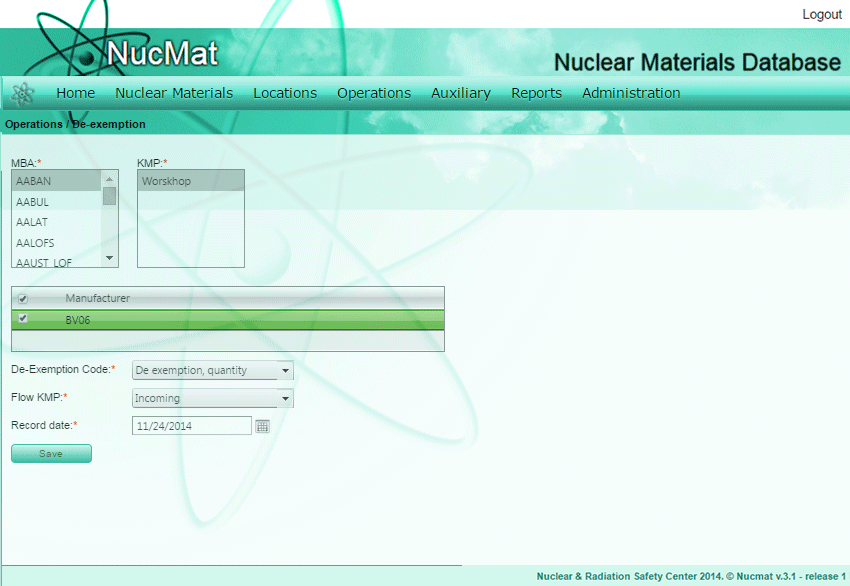
To register the de-exemption of nuclear material the user should use De-Exemption command from the Operations submenu.
Fig. 7.13. De-exemption of nuclear material
By default, NUCMAT shows the list of exempted nuclear materials in selected MBA (if any). Then the user should select materials that should be de-exempted by clicking on manufacturer and providing with exemption code, flow KMP, de-exemption date (see Fig. 4.13).
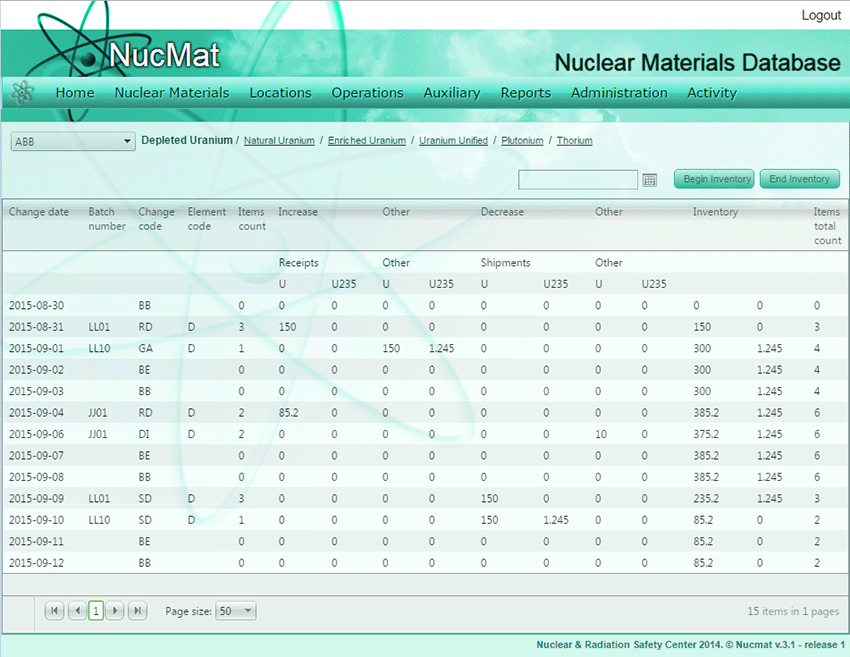
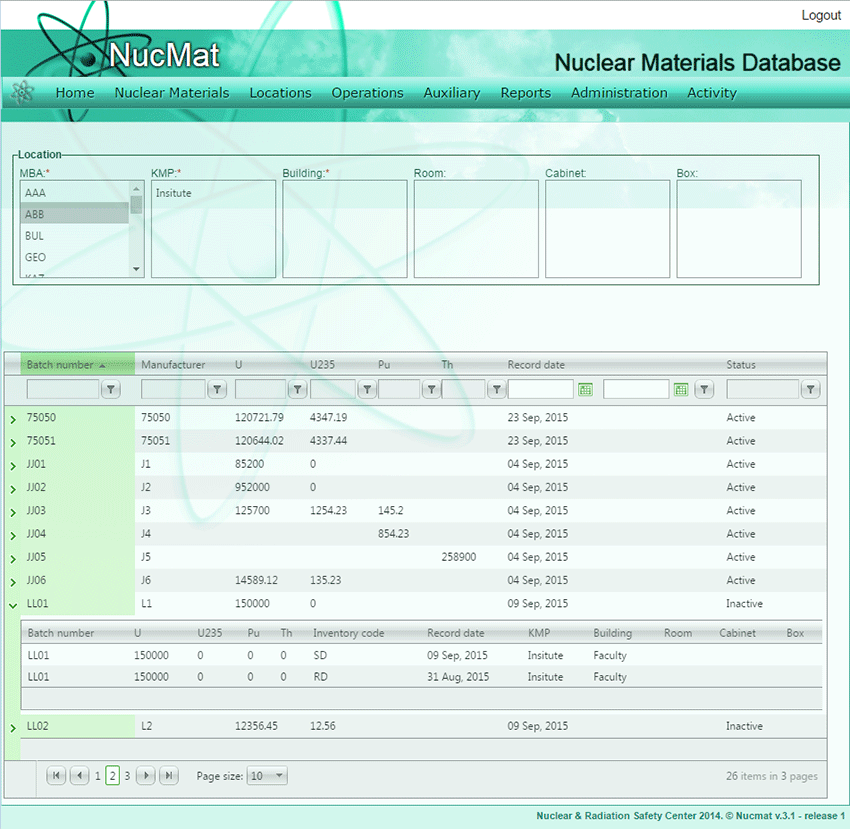
De-exemption of nuclear material (in this case batch number LL01) automatically added in the General Ledger of MBA (Fig. 7.14) and in the history of material (Fig. 7.15).
Fig. 7.14. Reflection of De-exemption operation in General Ledger
Fig. 7.15. Reflection of De-exemption operation on History of nuclear material