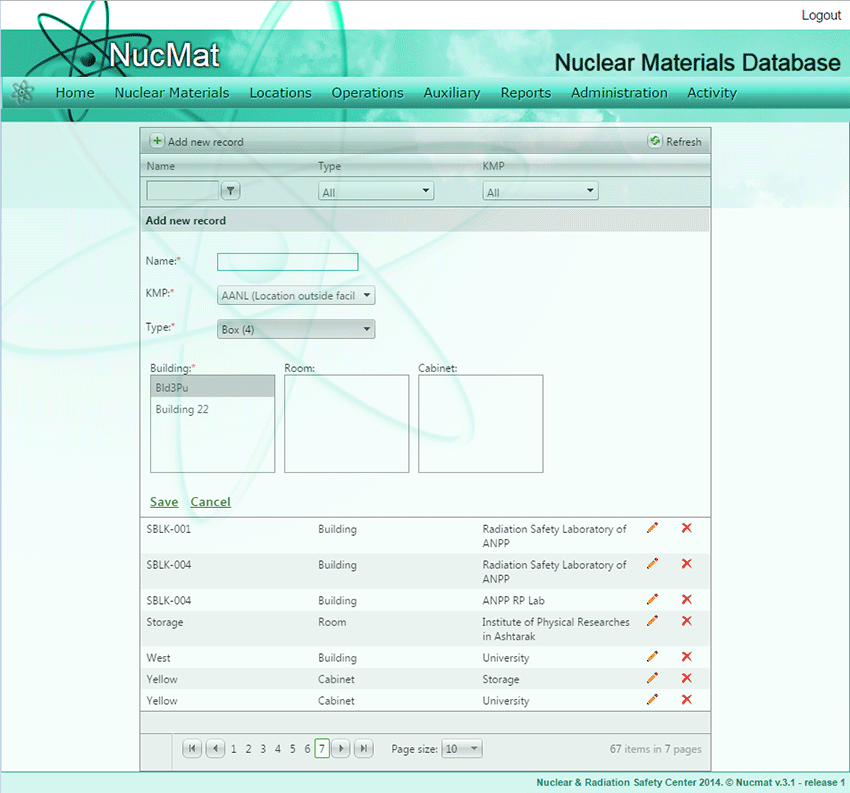
To create a new box the user should click on the Add new record button. As a result, a new window opens where the following information must be entered (Fig. 5.9):
·Type of Layout, select Box from dropdown list. Note: Next to each layout element in the dropdown list, its level in the layouts earache is shown.
·Box name. This is just for users to easily remember Box.
·Building, room and cabinet to which the box belongs.
Fig. 5.9. Creation of a layout element - Box
If the user wants to update parameters of created/existing box or remove box from NUCMAT then he/she should use Edit () and Delete () buttons, respectively.

 ) and
) and  ) buttons, respectively.