7.1. Creation of initial nuclear material inventory
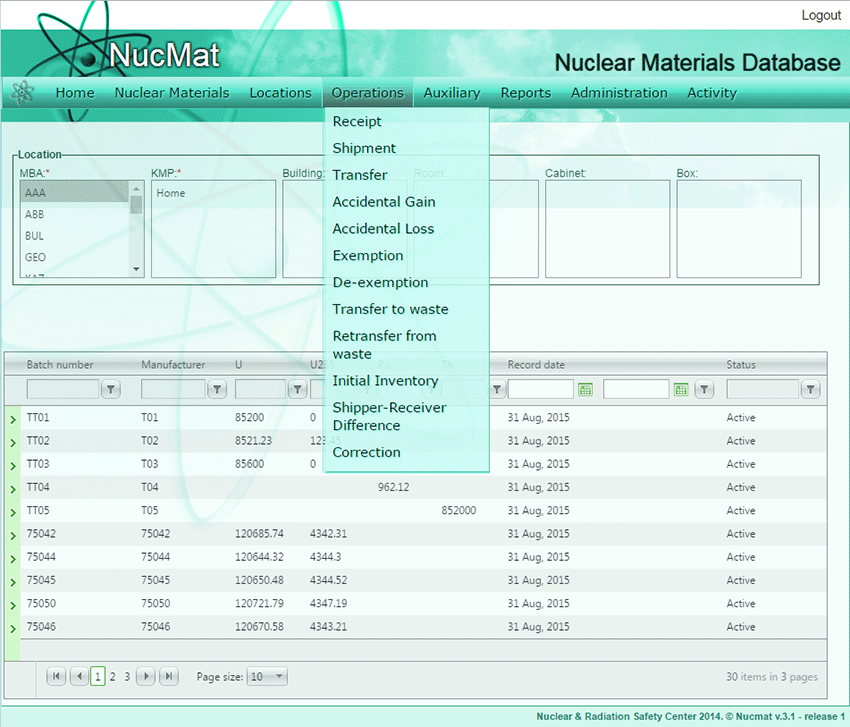
Application of NUCMAT starts with creation of nuclear material initial inventory (starting point). The starting point can be any date in the past. The initial nuclear material inventory can be created my manual enter of data on all nuclear materials and further changes or file import procedure (see chapter 8 – Administration). Manual input is described in this section. To create an initial nuclear material inventory for each nuclear material item the user should use the Initial Inventory command from the Operations sub-menu (see Fig. 7.1) and click the Add new record button.
Fig. 7.1. Initial Inventory command
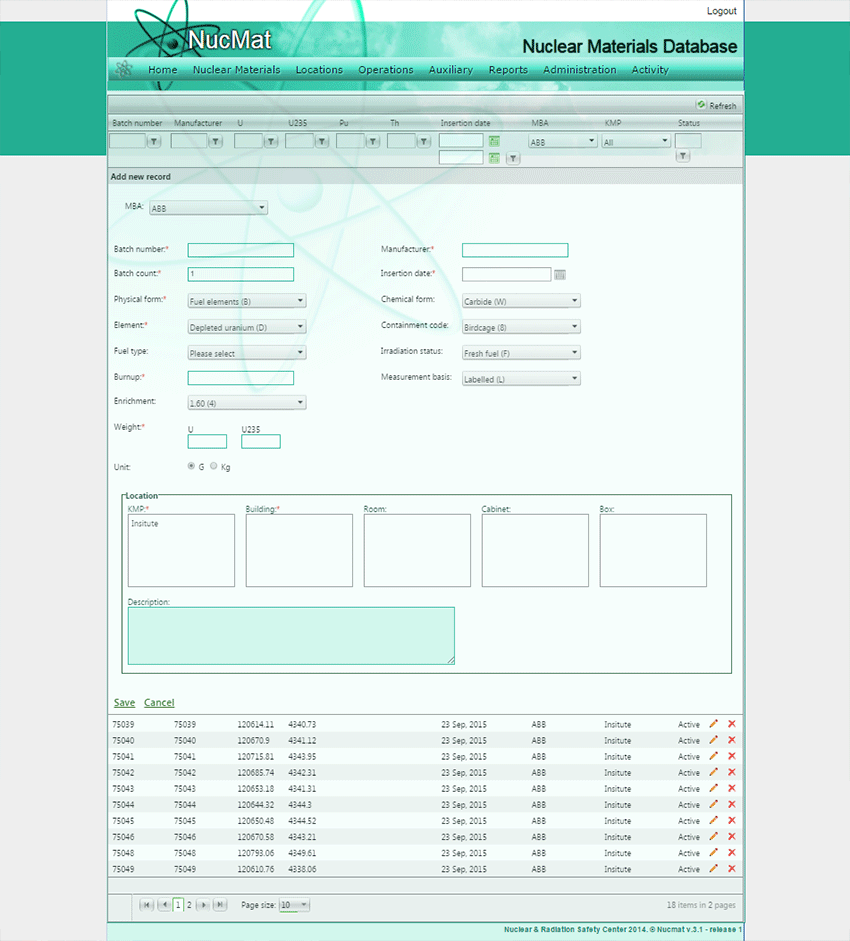
The user needs to specify MBA, KMP, Building (Room, Cabinet, Box) in which nuclear materials should be placed and provide description of nuclear materials according to the IAEA relevant requirements [1, 2]. All these locations must be created in NUCMAT before initial inventory input. Since each MBA has its properties set earlier (see section – Creation of MBA), therefore drop down lists displays only the parameters that had been already specified by the user, when MBA was created. Depending on Physical form of nuclear material NUCMAT offers 2 different entry fields combinations. If Physical form is “Fuel Elements” then user is required to provide following information (see Fig. 7.2):
· Batch number,
· Batch count (number of nuclear materials within single batch number),
· Element,
· Fuel Type,
· Burnup,
· Enrichment,
· Weigh of U, 235U, Pu (if Burnup>0),
· Unit of measurement (g, kg),
· Manufacturer ID,
· Chemical form,
· Containment Code
· Irradiation Status (if burnup is set “0” then NUCMAT automatically sets “Fresh Fuel”),
· Measurement Basis,
· Date of insertion.
Fig. 7.2. Input of Initial inventory in case if Physical form is “Fuel Elements”
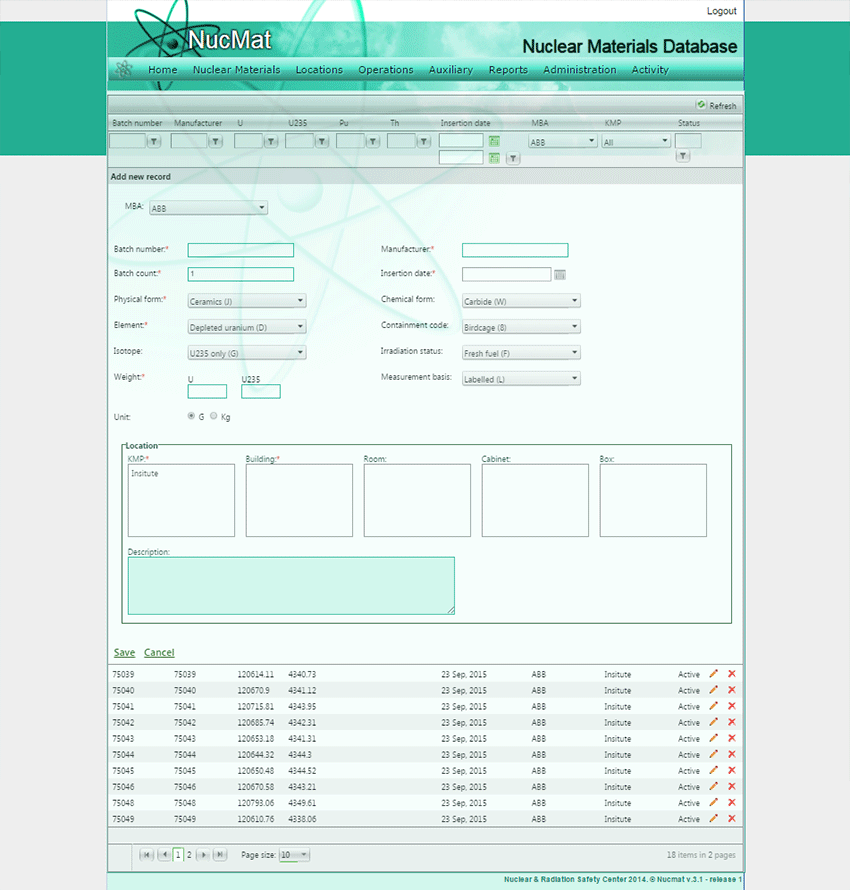
If Physical form is other than “Fuel Elements” then the user is required to provide following information (see Fig. 4.3):
· Batch number,
· Physical Form,
· Element,
· Isotope,
· Weigh of nuclear material (U, Pu, Th),
· Unit of measurement (g or kg),
· Chemical form,
· Irradiation Status,
· Manufacturer ID,
· Measurement Basis,
· Date of insertion.
Fig. 7.3. Input of Initial inventory in case if Physical form is other than “Fuel Elements”
Click Save to save entered data. NUCMAT allows the user to delete/update weights, location and material description of nuclear materials.
Caution: If the nuclear material was included in the report that had been already submitted to the IAEA, NUCMAT will not allow deleting or updating the nuclear material characteristics. In this case, according to the IAEA rules [2] the Correction command of NUCMAT from the Operations submenu should be used.
To get access to weights, location, material description of nuclear materials available in NUCMAT the All NMs command from the Nuclear Materials submenu should be used. As a result, NUCMAT will show all nuclear materials available in the database. To remove a nuclear material from NUCMAT or update its weights, location, material description the Delete ( ) and Edit (
 ) buttons should be used, respectively.