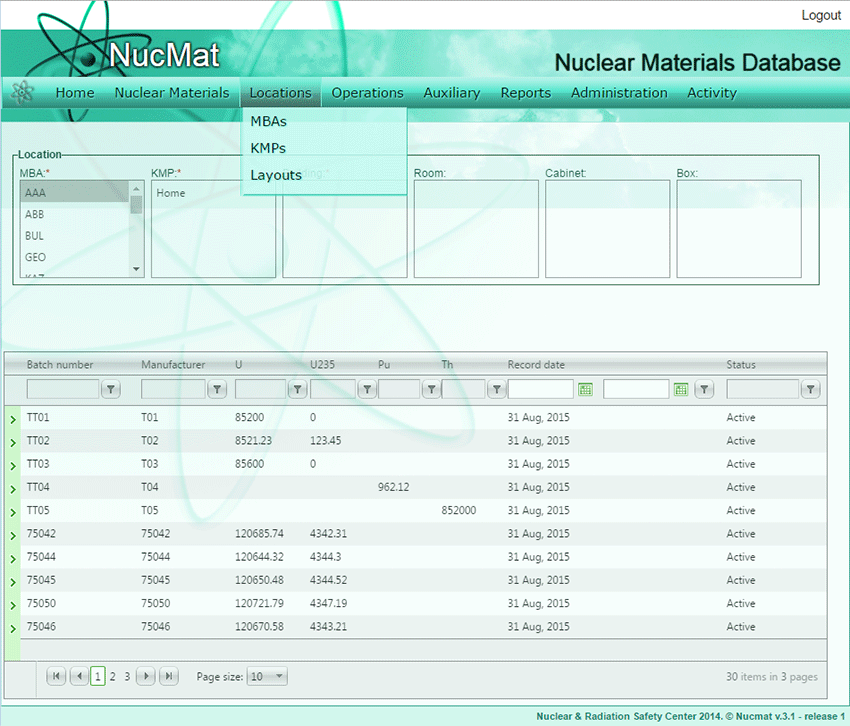
The IAEA reporting system is based on MBA structure therefore MBA is a global accounting unit within NUCMAT. To create a new MBA or to update parameters of the existing MBA the user should use the MBAs command from the Locations submenu (see Fig. 5.1).
Fig. 5.1. Locations submenu
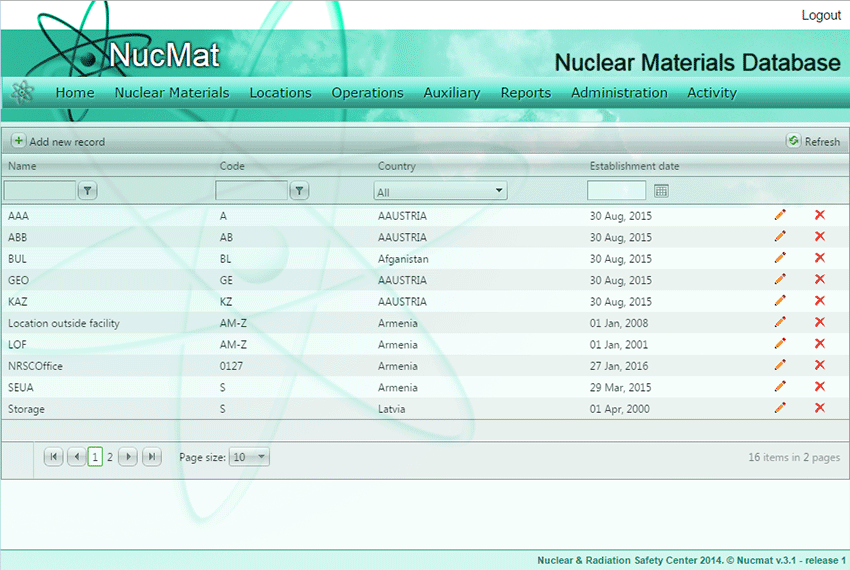
As result, a new window opens up which shows the list of existing MBA in NUCMAT (if any) and the Add new record command button (see Fig. 5.2).
Fig. 5.2. Locations/MBAs window
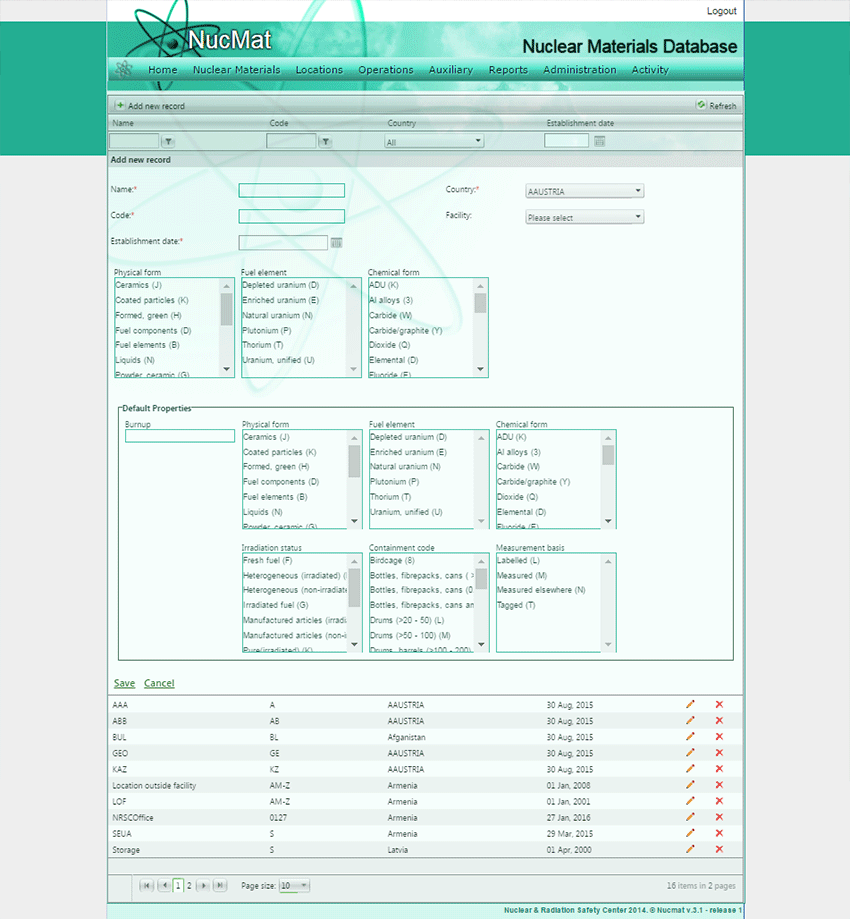
To create a new MBA the user should click on the Add new record command button (see Fig. 5.2). As a result, a new window opens and requires the user to input following information (see Fig. 5.3):
· MBA name. This is just for the user to easily remember MBA
· MBA code. This is an official code assigned by the IAEA to MBA and indicated in the Facility Attachment.
Fig. 5.3. Create MBA window
· Country. Country to which MBA belongs. This is made for tracking material to/from MBA.
· Facility. Facility code that assigned by the IAEA to facility and indicated in the Facility Attachment.
· Establishment date. The date of establishment of MBA. For new MBA NUCMAT automatically initializes General Ledger with the starting date equal to the establishment date.
· Additional properties. NUCMAT allows the user to select types of nuclear materials in MBA by specifying Physical Form, Chemical Form, Element parameters. This allows avoiding mechanical errors in process of adding nuclear material manually and movement between MBA’s. The above-mentioned parameters should be taken from the Facility Attachment. Note: These fields are not obligatory, and are added just for user’s convenience.
· Default properties. NUCMAT allows the user to import information about nuclear materials from external file to create initial inventory or/and receipt nuclear materials. This allows significantly decrease the time spent for adding of nuclear materials manually. The user should specify here nuclear material description parameters needed for the IAEA reporting purposes. Burn-up field is relevant only for nuclear fuel. Note: these fields are not obligatory and are for the user’s convenience.
If the user wants to modify parameters of created/existing MBA or remove MBA from NUCMAT then he/she should use the Edit ( ) and Delete (
 ) buttons, respectively.
Caution: Delete MBA command requires the administrator rights and should be used very carefully. All information about nuclear materials belonged to deleted MBA will be removed from the NUCMAT database.