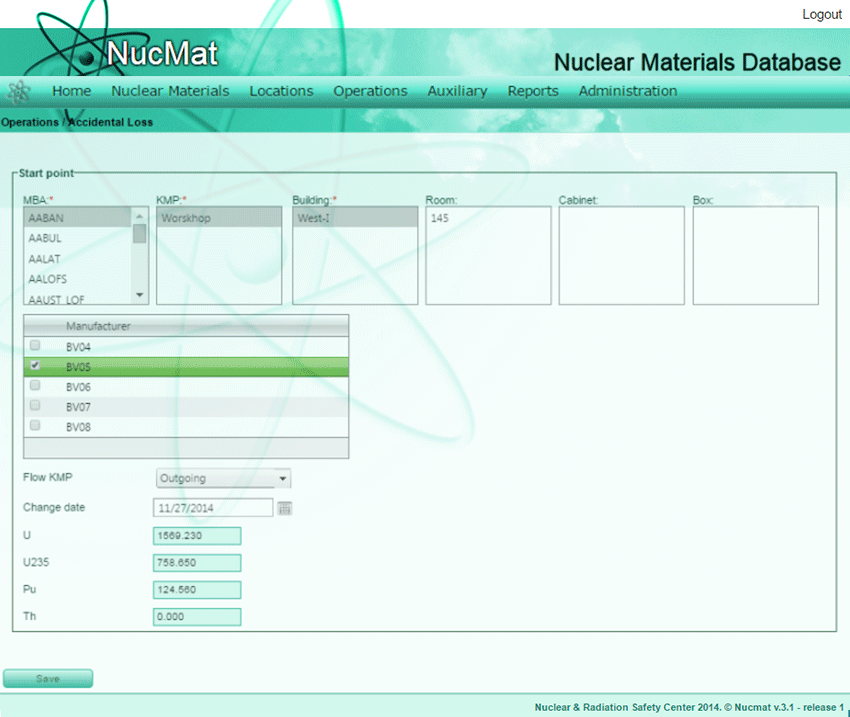
To register irretrievable and inadvertent loss of a known quantity of nuclear material or whole material itself as the result of an operational accident the user should use Accidental Loss command from the Operations submenu. By default, NUCMAT shows all nuclear materials in selected MBA, KMP, Building (Room, Cabinet, Box).
Fig. 7.21. Accidental Loss window
NUCMAT allows the user to "lose" whole amount of nuclear material or known quantity of it by selecting of appropriate manufacturer number. By default, NUCMAT as lost amount shows current weights of nuclear material. In this case, nuclear material will be completely “lost”. If the user wants to introduce partial loss of nuclear material then he/she should specify amounts of the “lost” material. To complete the accidental loss operation, the user should provide inventory change date and flow KMP (see Fig. 7.21).
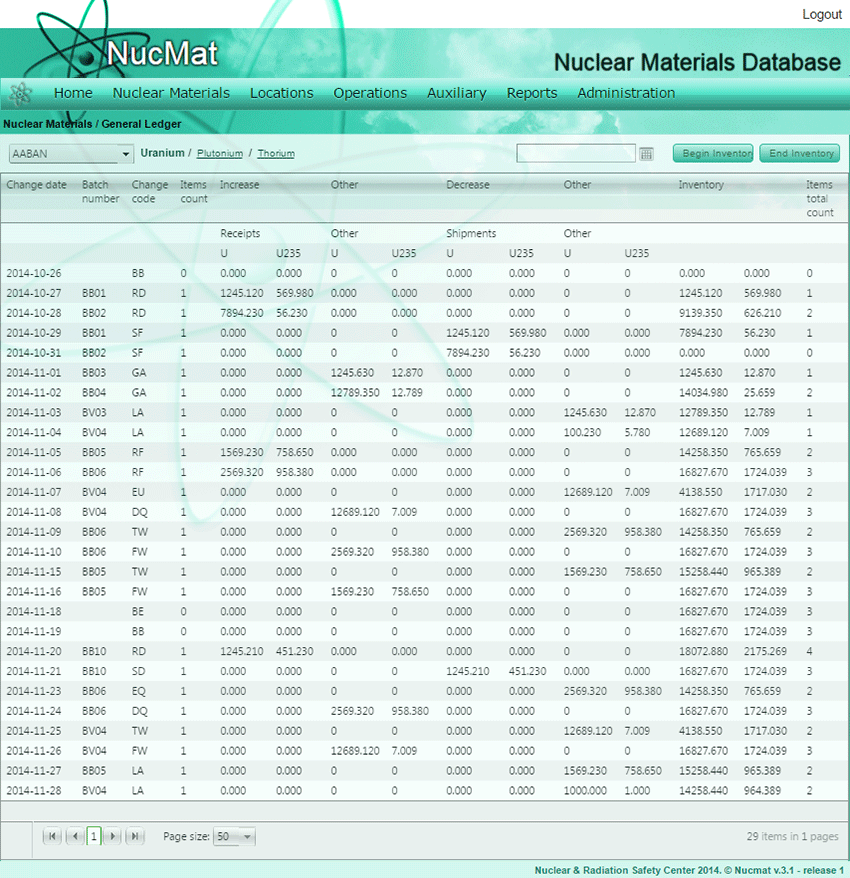
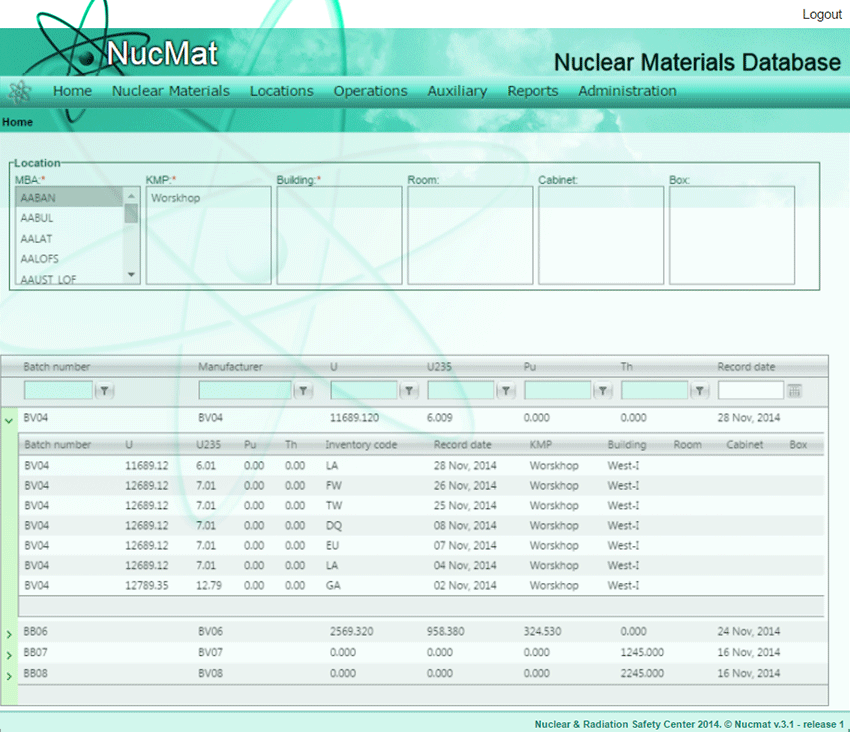
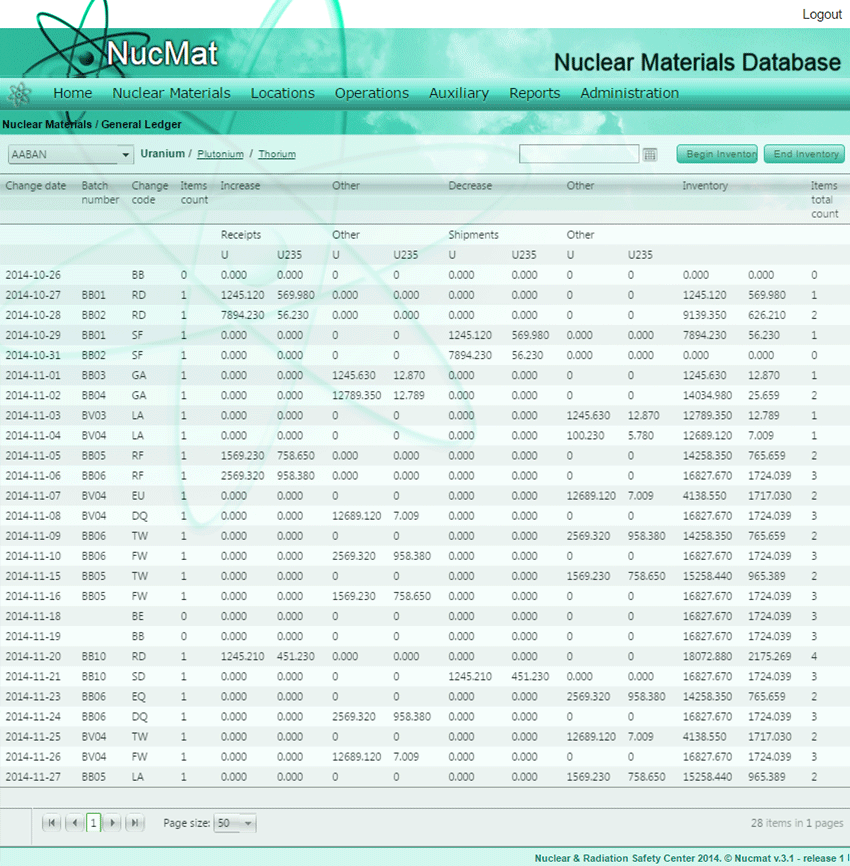
Accidental loss of nuclear material (Manufacturer number: BV05, BV04) automatically added in the General Ledgerof MBA (Fig. 7.22, 7.24) and in the history of the material (Fig. 7.23). As can be seen from the Fig. 7.18, in case of partial loss, weight of nuclear material decreased by lost amount.
Fig. 7.22. Reflection of accidental loss operation in General Ledger in case of “Partial loss” (Manuf. Number BV04)
Fig. 7.23. Reflection of accidental loss operation in history of nuclear material in case of “Partial loss” (Manuf. Number BV04)
Fig. 7.24. Reflection of accidental loss operation in General Ledger in case of “Full loss” (Manuf. Number BV04)