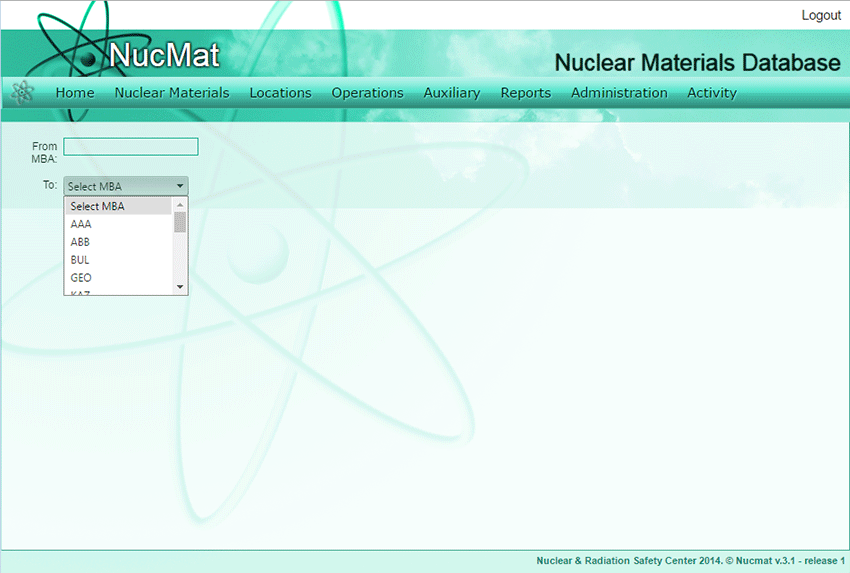
To register a receipt of nuclear materials the user should use the Receipt command from the Operations submenu by specifying shipping and receiving MBAs (see Fig. 7.4).
Fig. 7.4. Receipt command
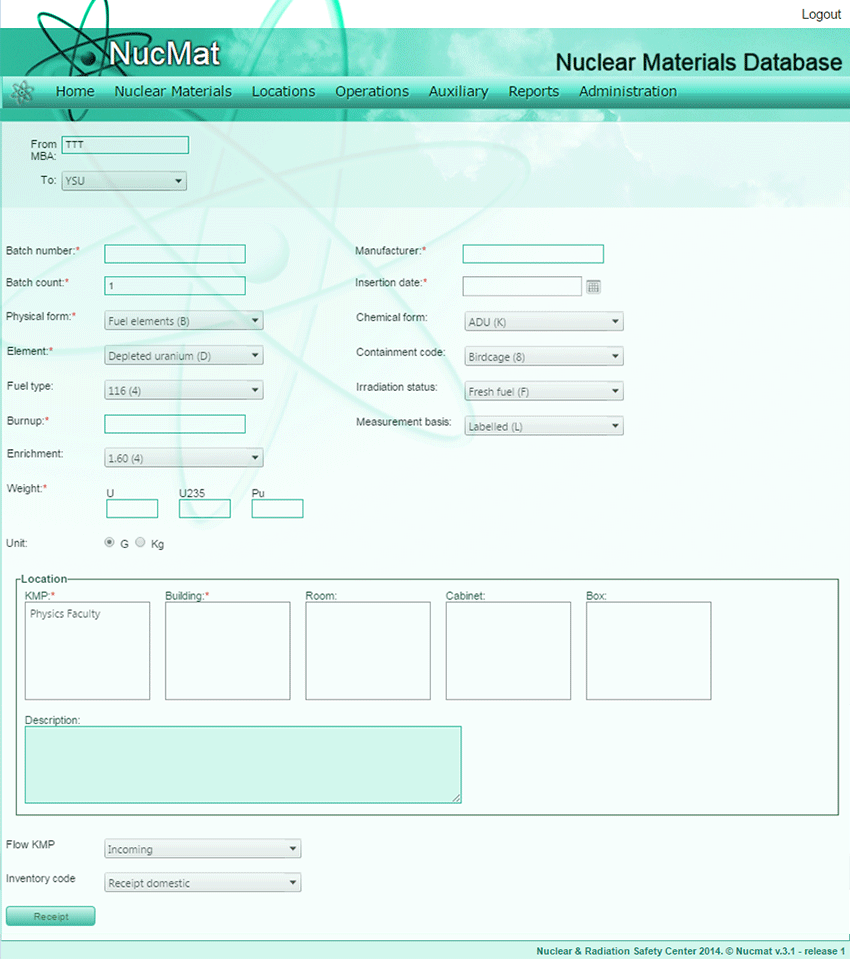
Depending on Physical form of nuclear material NUCMAT offers 2 different entering fields combinations. If Physical form is “Fuel Elements” then the user is required to provide following information (see Fig. 7.5):
· Batch number,
· Batch count (number of nuclear materials within single batch number),
· Element,
· Fuel Type,
· Burnup,
· Enrichment,
· Weigh of U, 235U, Pu (if Burnup>0),
· Unit of measurement (g or kg),
· Manufacturer ID,
· Chemical form,
· Containment code
· Irradiation Status (if burnup is set 0 then NUCMAT automatically sets as “Fresh Fuel”),
· Measurement Basis,
· Date of Receipt,
· KMP, Building (Room, Cabinet, Box),
· Flow KMP,
· Receipt Code.
Fig. 7.5. Receipt operation window if Physical form is “Fuel Element”
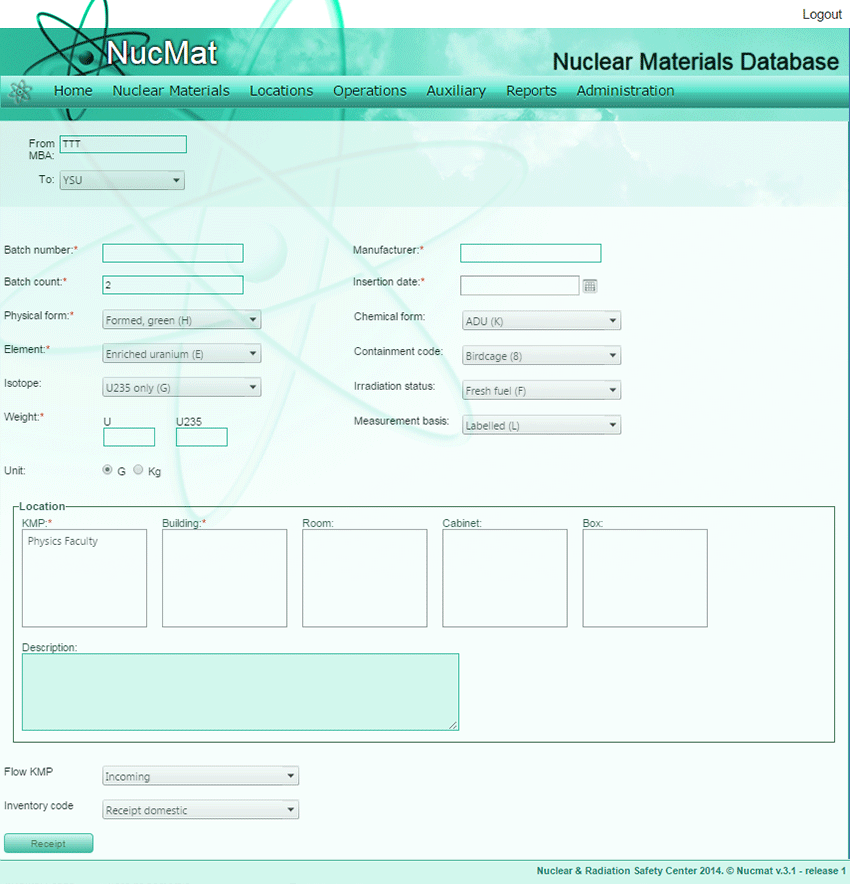
If Physical form is other than “Fuel Element” then the user is required to provide following information (see Fig. 7.6):
· Batch number,
· Batch count (number of nuclear materials within single batch number),
· Physical Form,
· Element,
· Isotope,
· Weigh of nuclear material (U, Pu, Th),
· Unit of measurement (g or kg),
· Chemical form,
· Irradiation Status,
· Manufacturer ID,
· Measurement Basis,
· Date of insertion,
· KMP, Building (Room, Cabinet, Box)
· Flow KMP,
· Receipt Code [1, 2].
Fig. 7.6. Receipt operation window if Physical form is other than “Fuel Element”
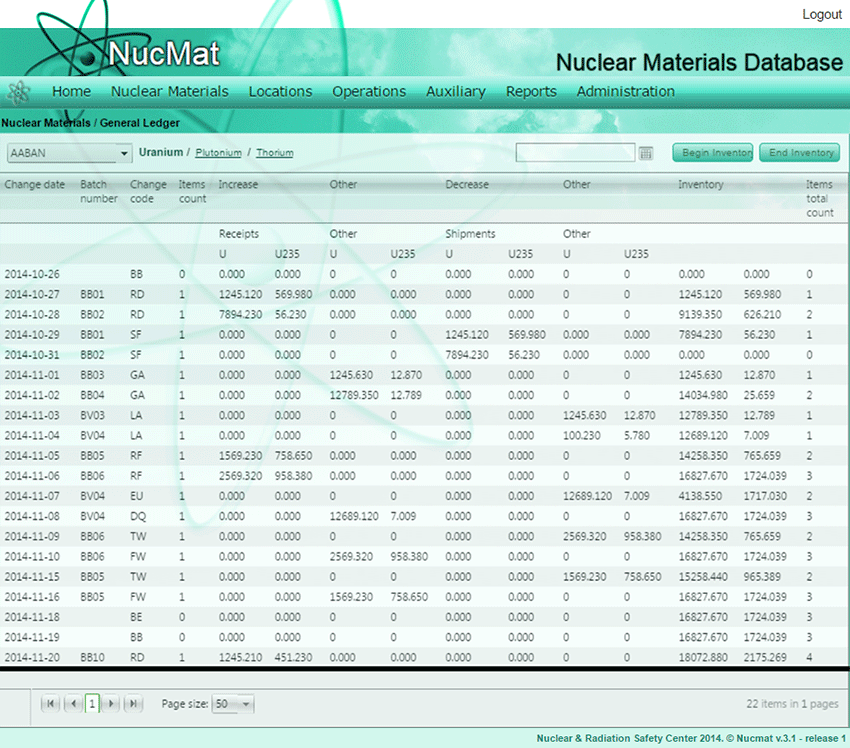
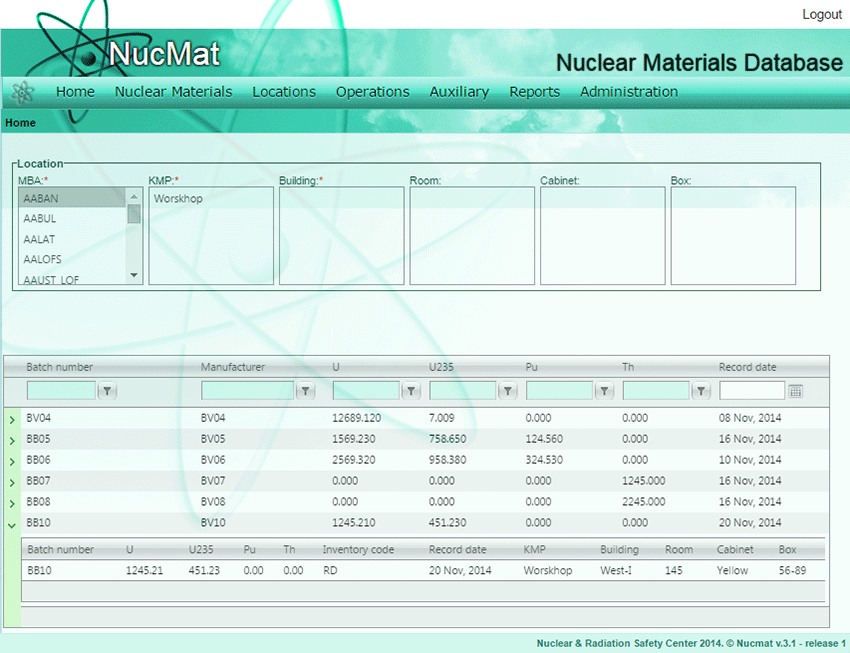
Receipt of nuclear material (in this case batch number BB10) are automatically added in General Ledger of receiving MBA (Fig. 7.7) and in the history of material (Fig. 7.8).
Fig. 7.7. Reflection of Receipt operation on General Ledger
Fig. 7.8. Reflection of Receipt operation in history of nuclear material